
The shift to remote work has been huge. Yet many of us still struggle with feeling disconnected, unproductive, or even insecure in our setups.
What if I told you that the right remote work tech could change all that?
I’m here to guide you through the important technology that truly fosters productivity, collaboration, and security. This isn’t just a list of gadgets.
I’ve spent time analyzing various tools in real-world remote work scenarios. I focus on what really works, what makes a difference, and how these tools can boost our daily lives.
You’ll find clear, straightforward explanations and examples of the technologies that really matter.
I believe technology should be practical, not just flashy.
By the end of this article, you’ll understand which tools can help you thrive in a remote work environment. You’ll gain takeaways that go beyond the product features.
Let’s explore what makes remote work better, together.
Trust me, you’ll walk away with actionable advice that you can set up right away.
The Remote Connect: Important Tools for Bridging Distances
Communication and collaboration tools are the glue for remote teams. Without them, we’d be a bunch of isolated islands. Ever tried organizing a team meeting across different time zones?
Video conferencing platforms like Zoom, Google Meet, and Microsoft Teams solve this. They’ve got features like screen sharing, virtual backgrounds, and recording. Let’s be real: who doesn’t love a good virtual background for hiding messy rooms?
Then there’s instant messaging. Slack and Microsoft Teams aren’t just about quick chats. They cut down email clutter (thank goodness) and boost real-time team collaboration.
Need to share files or have group discussions without waiting hours for email replies? These platforms handle that effortlessly.
Choosing the right tool depends on your team size and needs. A small team might thrive on Slack’s simplicity, while larger organizations lean towards Microsoft’s all-in-one approach. It’s like picking between a scooter and a minivan: both get you where you need to go, but one might fit your group better.
And don’t forget integration. Connecting these tools creates a smooth workflow. Curious about how tech leaders make these decisions?
Check out the Tech Ceos Betting Big On Ai for takeaways. Remote work tech has its challenges, but the right platforms make it smooth.
Unleashing Productivity: Project Tools for Remote Teams
Staying organized when teams are scattered is tough. I’ve been there. project management tech comes in.
Why juggle emails when you can use Asana or Trello? These platforms are game-changers. You assign tasks, track progress, and hit deadlines.
Dashboard views? They’re your new best friend.
Cloud-based tools like ClickUp and Monday.com make remote collaboration a breeze. They’re not just about assigning tasks, but about seeing your team’s progress at a glance. No more “how’s it going” emails.
But there’s more. Shared document platforms like Google Workspace and Microsoft 365 are important. Real-time collaboration means no more out-of-date files.
Plus, version control is a lifesaver (we’ve all lost files before).
How do you integrate these into daily work? Start small. Use Google Docs for team brainstorming.
Set up Trello for project tracking. It’s all about building habits.
Pro tip: Keep communication clear and consistent. Trust me, it saves time. Curious about more remote work tech?
There’s a whole world of tools out there waiting to boost your productivity. Dive in and start exploring.
Securing Remote Workspaces: Tech to Protect
Remote work tech is a hot topic right now, but let’s face it (security) is a real concern. I mean, how safe do you feel sending sensitive data from your home office? Virtual Private Networks (VPNs) come in. They encrypt your internet connection, making it harder for anyone to snoop around.
It’s like wrapping your data in a protective bubble before it hits the internet. Without one, you’re just asking for trouble, especially when accessing company networks.
Cloud storage solutions like Dropbox Business, Google Drive, and OneDrive are also key. These platforms offer encryption and access controls, making them a solid choice for secure file storage. But don’t just take my word for it.
Check their compliance features to make sure they meet your company’s needs.
Then there’s password managers and multi-factor authentication (MFA). They’re not just tech buzzwords. They keep unauthorized folks out of your accounts.
Implementing them isn’t rocket science, just a few strategic steps.
And don’t overlook endpoint security. Antivirus and anti-malware software are your first line of defense. For more on how tech is shaking things up globally, check out the latest tech mergers impact.
Boost Your Remote Setup: Hardware and Connectivity
I’ve been working remotely for years, and let me tell you, reliable internet connectivity is non-negotiable. No one wants to freeze mid-Zoom call. A high-speed connection is key, but what happens when it falters?
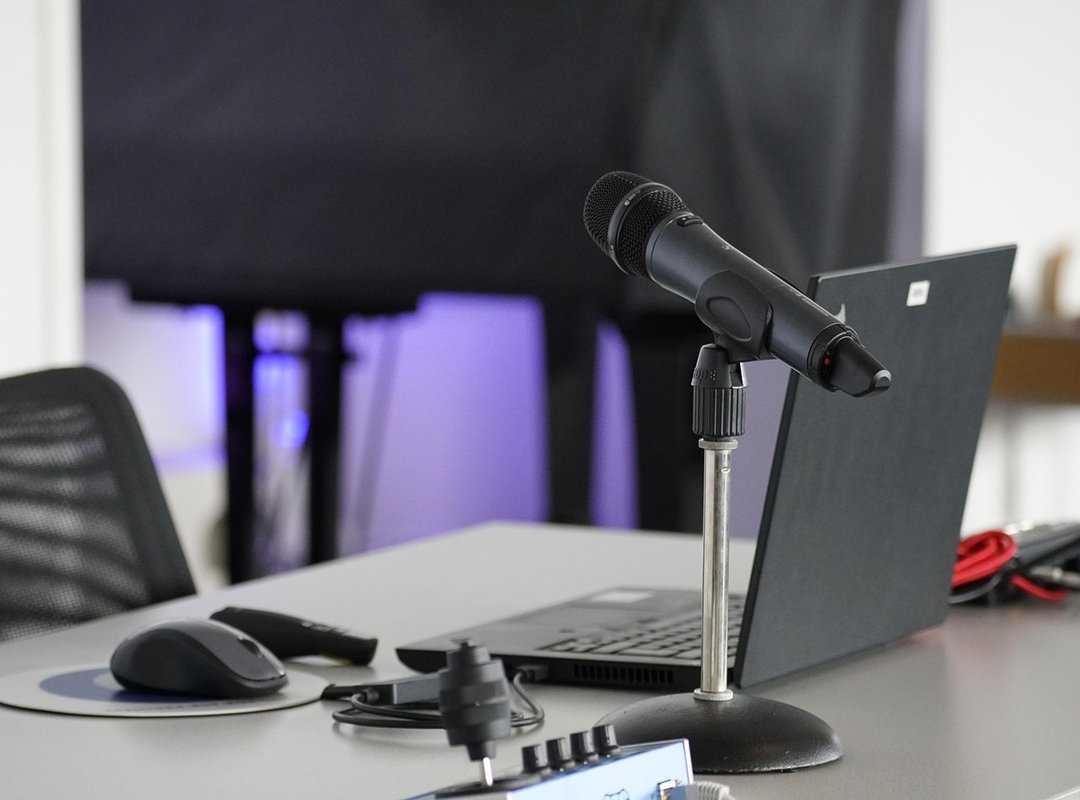
I keep a mobile hotspot as backup. It’s saved my bacon more times than I can count.
Now, let’s talk about the gear you need. A high-quality webcam and noise-canceling headphones are game-changers. They make communication smoother and cut down on background chaos (ever tried focusing with a barking dog?).
An ergonomic keyboard and mouse? They’re not just luxuries. They’re important for comfort and preventing strain.
Ever wonder if a secondary monitor is worth it? Spoiler: it is. It boosts productivity by expanding your workspace.
Docking stations simplify your connections, making your setup less of a tangled mess.
Setting up a home office doesn’t need to be a headache. Focus on comfort. The right hardware can slash strain and sharpen focus.
Remote work tech isn’t just about gadgets. It’s about creating a space where you can thrive without distraction. Remember, the right tools can make or break your remote experience.
Remote Work Tech: The Future is Now
Remote work tech is exploding right now. Who would’ve thought a few years ago that we’d be relying on AI-powered assistants to handle mundane tasks? I mean, seriously, it’s like having a digital butler.
These tools handle meeting schedules, sift through emails, and even predict what you’ll need before you realize it. It’s a game-changer for work-life balance.
Then there’s VR and AR. Imagine slipping on a headset and feeling like you’re in the same room with your team, even if you’re miles apart. These technologies aren’t just sci-fi dreams anymore.
They’re starting to reshape how we connect and collaborate remotely, offering presence that’s closer to reality. Pretty wild, right?
Digital whiteboards are another thing. They’re becoming more than just scribble pads. They’ve evolved into platforms that mimic in-person brainstorming sessions.
This is huge for creativity and productivity.
And let’s not forget the rise of the “digital HQ.” Integrated platforms are crafting cohesive virtual workplaces, making us rethink the very essence of an office. It’s the next step in our remote work evolution. It’s exciting, and honestly, a bit daunting.
But isn’t that what progress is all about?
Embrace Change for Effective Remote Work
You now understand the important remote work tech needed to thrive in today’s environment.
Without the right tools, remote work can quickly become isolating and frustrating.
These technologies bridge gaps, making communication smooth and productivity organized. They boost security and create a workspace that feels connected.
Take a moment to assess your current setup. Are there gaps that leave your team feeling disconnected? Identify those areas for improvement.
Now is the time to set up the right solutions strategically.
Embrace these advancements to cultivate a resilient and productive remote work space.
Don’t let inefficiencies hold you back.
Take action today to transform your remote work experience. Make the changes you need, and watch your team flourish.